
A QR code on the counter
The customer scans your sign-up QR code at the till and adds the card to their phone in one tap. You have nothing to key in.
Wallet Cards · the loyalty card in Apple Wallet and Google Wallet
A QR code on the counter, and your loyalty card is in your customers' phones, in your colours, with its number and its barcode. At the till, it is shown and read just like a PVC card; your points and stamps are still counted by your till or your loyalty software. Packs of 50 to 50,000 cards, for 1, 2 or 3 years.

Why a digital loyalty card
The customer scans your sign-up QR code at the till and adds the card to their phone in one tap. You have nothing to key in.
The barcode on the card is read just like the one on a PVC card. Your points and stamps are still counted by your till.
It sits in Apple Wallet or Google Wallet, alongside their payment cards. If they have their phone, they have their loyalty card.
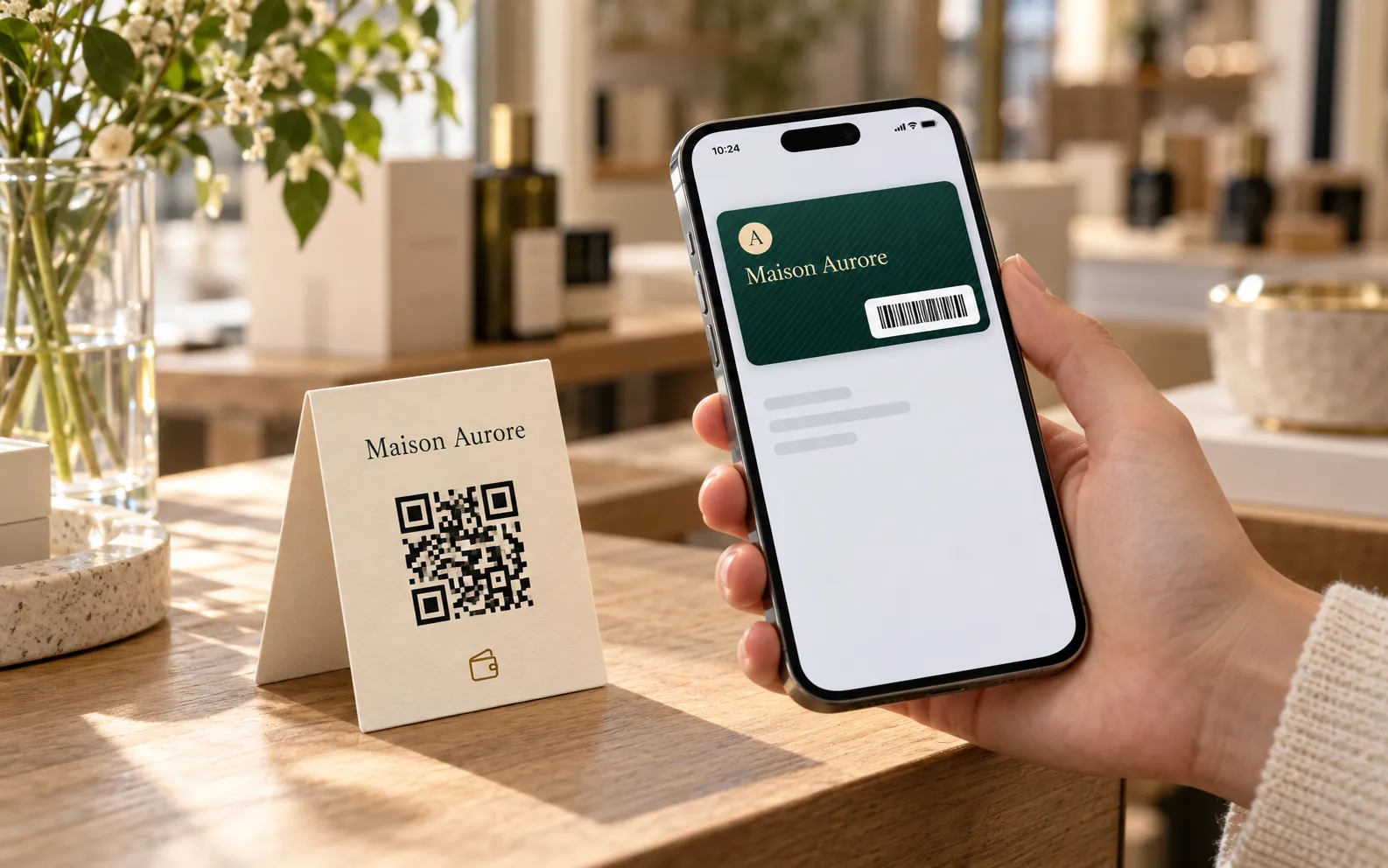
At the counter
Place your sign-up QR code next to the till or on a poster, or drop the link into an e-mail. The customer scans it with their camera, taps “Add to Apple Wallet” or “Add to Google Wallet”, and receives the next available card in your pack. Their name is optional: you add it later, if you need it.
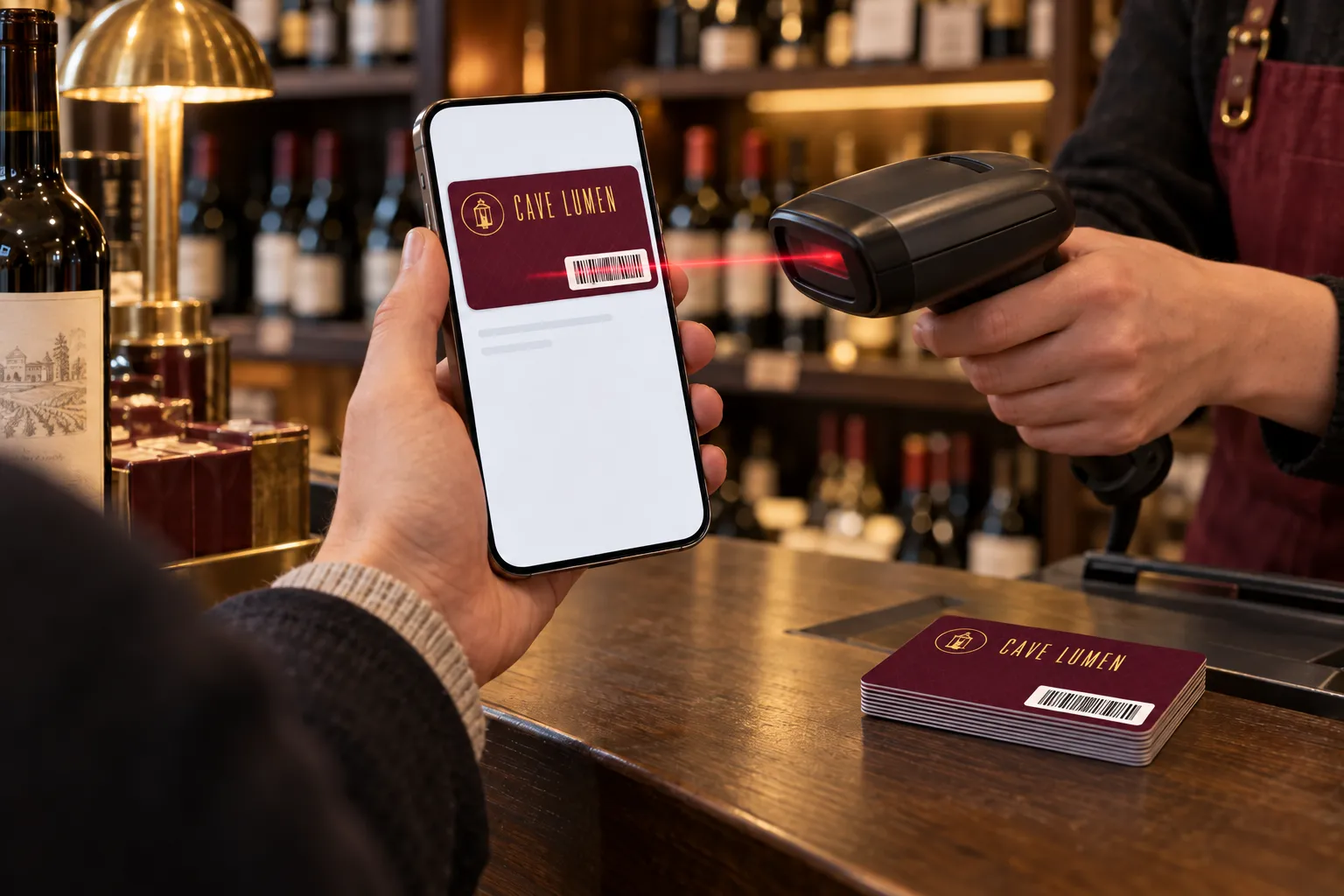
At the till
The customer opens their card and you scan its code with your handheld scanner: your till recognises their number, just as it does with a PVC card. Code 128 or EAN-13 barcode, QR code: when you order, you choose the code your till already reads. Points, stamps and rewards are still counted by your till or your loyalty software.
Demo
Club Aurore, a fictional programme: the card as it appears in Apple Wallet or Google Wallet, with its number and its code. Open the demo to try it with your logo and your colours.
Demo: fictional programme.
Your card, in bank card format: in your colours, with your pattern and your font.
Order online
All prices + VAT, for the pack and for the whole period. Allow one card per loyal customer, choose the code your till reads and your numbers; after payment, we prepare your card and you approve it before it goes out.
Example: 250 cards for 1 year at $139 + VAT = $0.56 per loyal customer for the year, with the barcode your till already reads.
Every quantity, from 50 to 50,000 cards: see the full Wallet Cards price list. Several outlets? Write to us, we reply within 24 hours.
Wallet Cards, two uses
The same pack of numbered cards, in Apple Wallet and Google Wallet: pick the use that fits you.
For a shop, a restaurant or a salon: each customer's code is read by your till, just like on a PVC card.
You are hereFor a club, an association or a gym: name, number, validity, and a code scanned at the door.
DiscoverWho does what
The digital loyalty card does not replace your till: it shows it the right number, on every visit.
| Lumacards | Your till or your loyalty software | |
|---|---|---|
| The card in the phone | Prepared in your colours for Apple Wallet and Google Wallet | Nothing to do |
| Customer sign-up | A sign-up link or QR code; cards are assigned one after the other | Nothing to key in |
| The customer's number | A unique number for each card, from your starting number or your file | Recognises the number, just as on a PVC card |
| The code | Code 128, EAN-13, or QR code, as you prefer | Reads it with your handheld scanner or reader |
| Points, stamps, rewards | Lumacards supplies the card to show | Counts them, as it does today |
| New design, new season | Updated remotely from your dashboard | Nothing to do |
In your business
Wherever a loyalty card is stamped or scanned, the card in the phone takes over.
The sign-up QR code next to the till: your regulars add their card while you prepare their order.
When the bill arrives, the customer already has their phone in their hand: they show their card, you scan the code.
The sign-up link goes out in your appointment e-mail: the customer arrives with the card already in their phone.
The card in the phone for some, the PVC loyalty card for others: same numbers, same programme.
How it works
You keep your till and your habits: only the card moves, from the wallet to the phone.
The number of cards, the period, the code your till reads, then your starting number or your own numbers.
After payment, we prepare your loyalty card from your design. You approve it before it goes out.
Put your sign-up QR code on the counter, or send the link by e-mail: each customer receives the next available card.
The customer shows their phone, your till reads the code. Points and stamps are counted just as before.
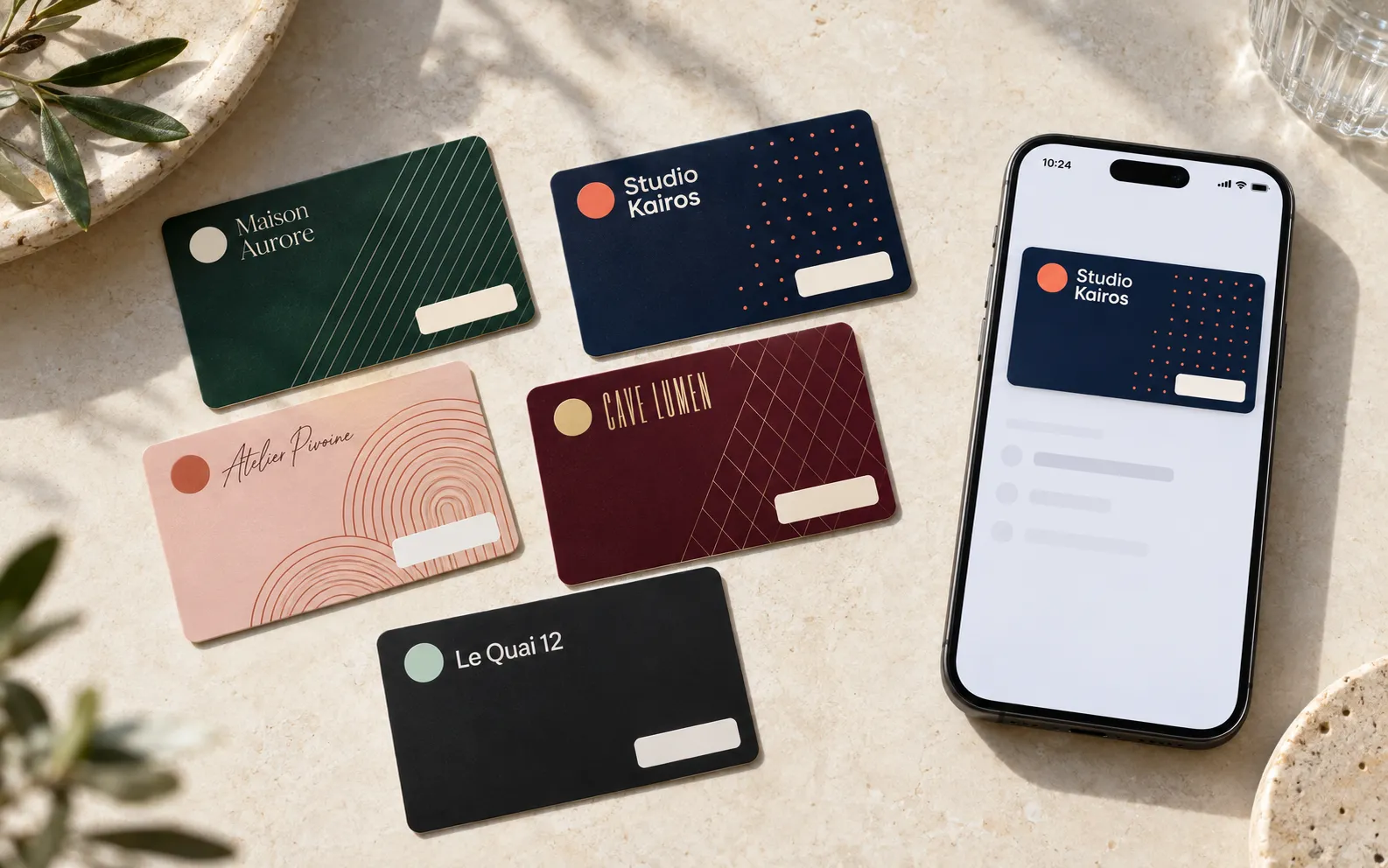
Your design
Logo, colours, background pattern, title font: your card is laid out in bank card format. A new season, a new offer? You change the design from your dashboard, and the card is updated in every customer's phone.
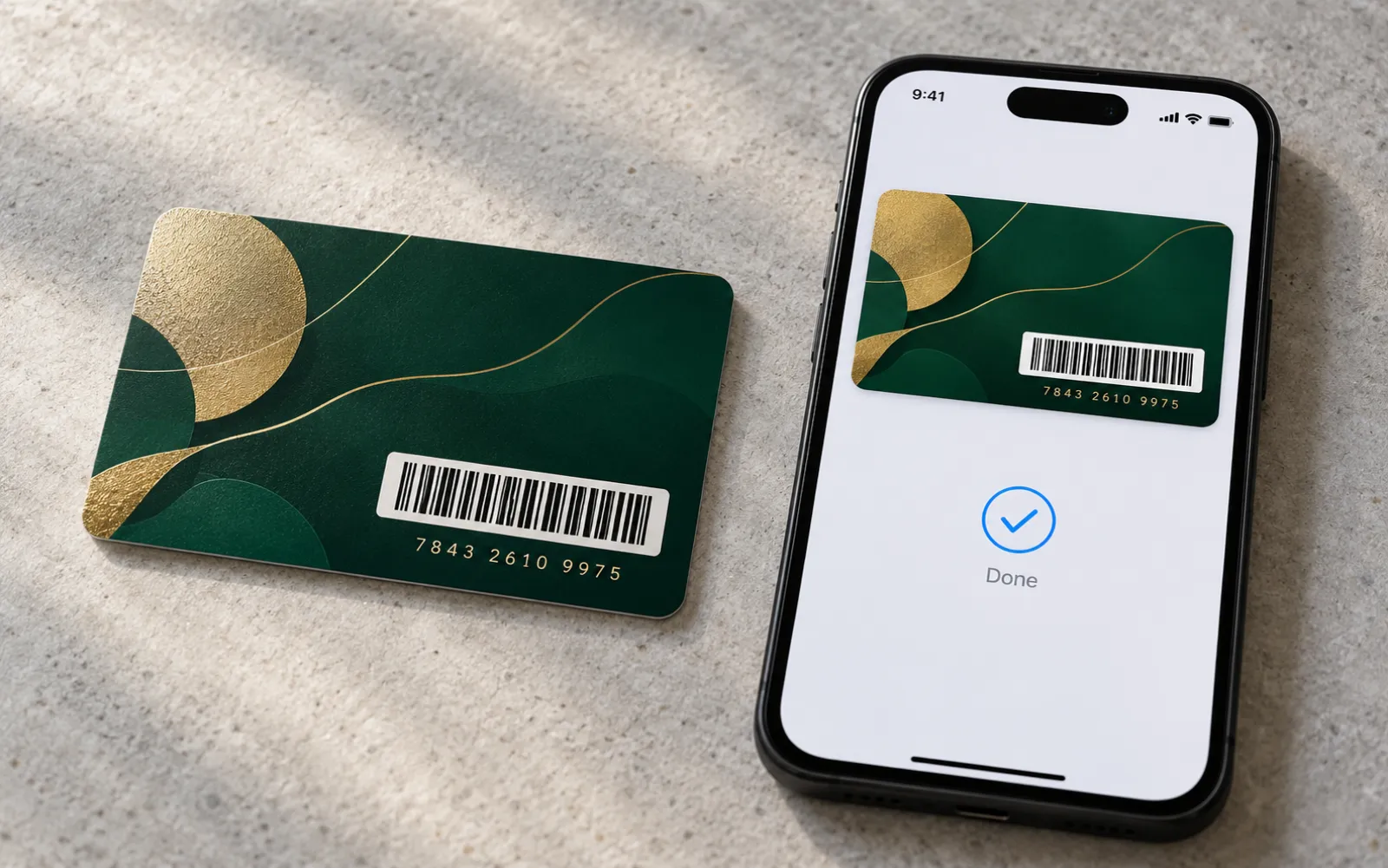
Matching PVC card
Upload the numbers of your PVC loyalty cards from an Excel or CSV file: the digital card takes them over. A customer can have their card in the hand, their card in the phone, or both; your till reads one just like the other.
Prices
Prices excl. VAT for the pack and for the whole period; nothing renews on its own. Four packs are shown here: packs of 100, 500, 2,500, 10,000, 25,000 and 50,000 cards can be chosen when you order, and the full price list is on the Wallet Cards page.
To launch your programme
Your loyalty card prepared in your colours, design editable remotely
OrderThe regulars of a shop or a restaurant
Your loyalty card prepared in your colours, design editable remotely
OrderA well-established base of loyal customers
Your loyalty card prepared in your colours, design editable remotely
OrderSeveral outlets, a chain
Your loyalty card prepared in your colours, design editable remotely
OrderFrequently asked questions
It is a loyalty card kept in Apple Wallet or Google Wallet rather than in a wallet or purse: the loyalty card on the phone. It carries your logo, your colours, a unique number and a barcode or QR code, which your till reads just like on a PVC card.
No: no subscription, no commitment. You pay once for the duration you choose, no bank card is stored and nothing renews on its own. At the end, you extend only if you wish.
They scan your sign-up QR code at the counter, or open the link they received by e-mail, then tap “Add to Apple Wallet” or “Add to Google Wallet”. They receive the next available card in your pack. They have nothing to install: Apple Wallet and Google Wallet are already in their phone.
When you order, you choose the code your till already reads: Code 128 or EAN-13 barcode, or QR code. A note on EAN-13: it is displayed as it is on Android and on up-to-date iPhones; on older iPhones, the same digits are displayed as a Code 128 barcode.
By your till or your loyalty software, as they are today: the card shows the customer's number, your till does the rest. Lumacards supplies the card to show, in your colours.
No. The name is optional: the card already carries its number and its code. If you wish, you add the name later in your dashboard, card by card or from a file.
Yes. You supply your numbers in an Excel or CSV file, using the file template you can download when you order. The digital card then takes over the numbers of your PVC cards: your till reads one just like the other.
One card per loyal customer. Packs range from 50 to 50,000 cards; you assign them at your own pace, throughout the period you choose. For more than 50,000 cards, write to us using the form on this page.
Yes. You change the design from your dashboard, and the card is updated remotely in every customer's phone.
After payment, we prepare your card from your design, and you approve it before it goes out. You then display your sign-up QR code.
Your cards stay active for 1, 2 or 3 years, depending on your choice. After that, you extend if you wish: nothing renews on its own and no payment card is stored. Your data is kept for twelve months.
Digital loyalty card, loyalty card in Apple Wallet and Google Wallet
The digital loyalty card is the phone version of the card your customers already know. This loyalty card in Apple Wallet or Google Wallet carries a unique number and a barcode or QR code. Shops, restaurants, bakeries, hair salons and beauty salons offer it with a simple QR code on the counter: the customer scans it, and the card is in their phone.
At the till, the mobile loyalty card is read just like a PVC card, and your points or stamps are still counted by your till. It is part of Wallet Cards, which also serve as a digital membership card. For customers who like a card in the hand, discover our PVC loyalty cards: they can carry the same numbers.
Several outlets, a question?
Several shops, PVC cards already in circulation, more than 50,000 customers: tell us about your programme and we will reply within 24 hours.
Get your quote within 24 hours
Order online in a few minutes, or ask us your questions: we reply within 24 hours.