
Guide · 7 min read
Google review card: a practical guide to getting more reviews at the counter
A Google review card is a card or table tent, read by NFC or QR code, that opens your review page on the customer's phone. It removes the searching and the forgetting that stand between a happy customer and a published review. Here is the method: the right moment, the right place, the right words, and the Google rules to respect.
1. The short answer
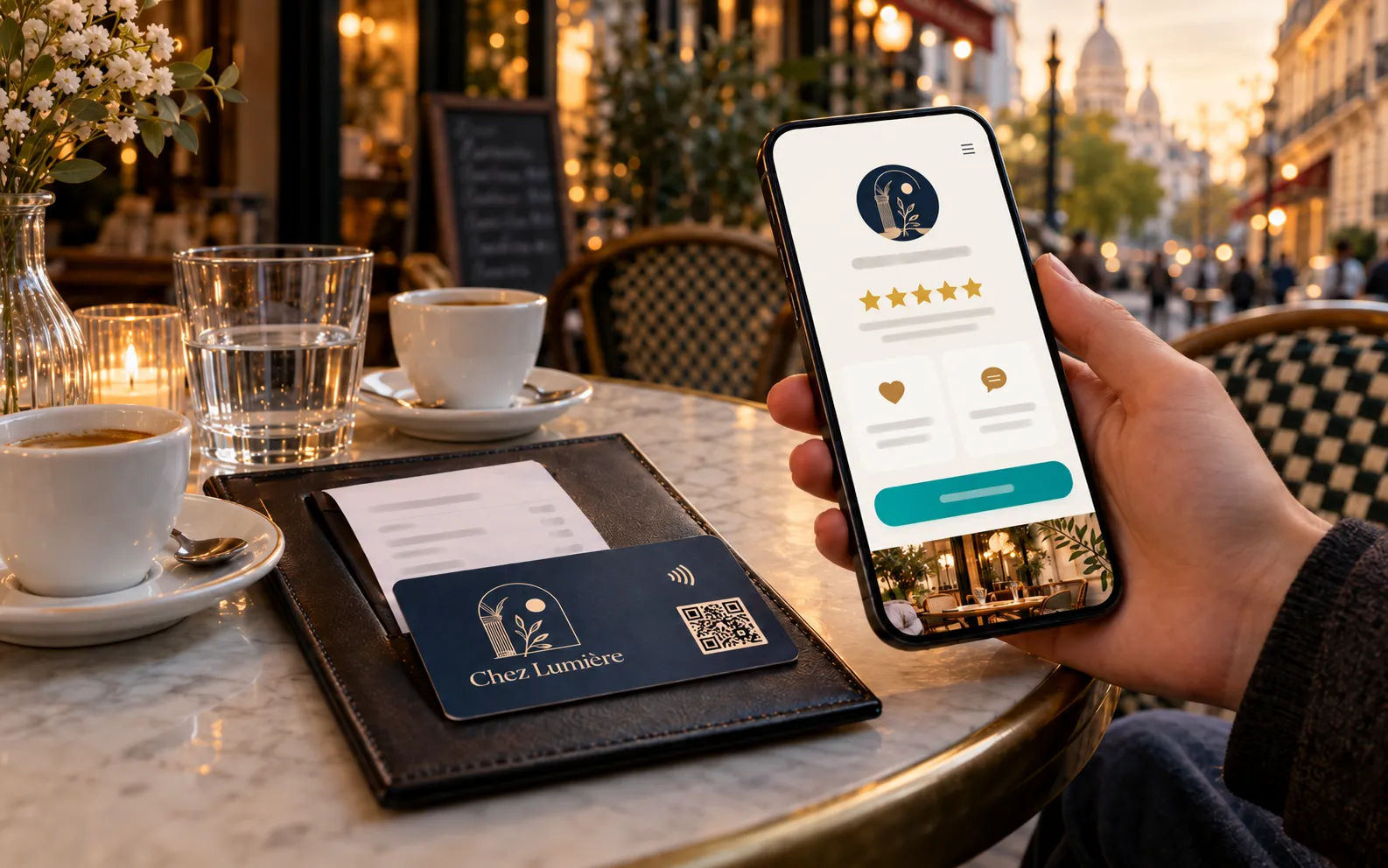
To get more Google reviews, ask every customer in person, at the moment they are satisfied, and put the review form one tap away from their phone. A Google review card, handed over or left on the counter, takes care of that last step: the customer holds their phone near it or scans the QR code, then writes.
- The moment: straight after the service, while the customer is still with you.
- The format: a card offered with the bill, a table tent on the counter, or a QR code on the receipt.
- The words: one short sentence from the person who served them.
- The rule: never a reward, never any filtering; every customer lands on the same review page.
- The follow-up: reply to reviews, and check the reads for each card.
2. What is a Google review card, and what does it change?
A Google review card is a printed item in your colours that carries an NFC chip, a QR code, or both. The customer holds their phone near the card, or scans the code with the camera, and lands on your review page with nothing to install and nothing to look up.
What the card changes is the effort involved. Without it, a well-meaning customer has to find you on Google, spot the review button, then write: each step loses a few people. With the card, all that is left is to write.
Our Google review card is part of the Lumacards range of digital cards. It opens an online page showing your review links, Google first, then up to three other platforms, along with your social media and your contact buttons. You change the destination from your dashboard, without reprinting.
3. Card, table tent or QR code on the receipt: which should you use?
All three lead to the same review page: they differ only in where the customer comes across them and in the gesture that goes with them.
| Format | Where | When | Best suited to |
|---|---|---|---|
| Card handed over in person (NFC chip and QR code) | Offered with the bill, at the counter, slipped into the bag | At payment or when the order is handed over | Restaurants, hair and beauty salons, tradespeople, hotels |
| Counter or table tent (QR code) | Left in place by the till, on each table, at reception | While the customer waits: queue, end of the meal, departure | Bakeries, busy shops, cafés and pubs, clinics |
| QR code on the receipt or bill | At the foot of the receipt, on the bill, on a paper card added to the order | After they leave, in their own time | Takeaways, delivery, very brief exchanges at the counter |
You do not have to pick one: many businesses combine all three. The comparison of PVC NFC cards, paper QR code cards and table tents is on the Link Cards page. For a code you print yourself on receipts or packaging, a dynamic QR code keeps a destination you can change after printing.
4. When should you ask for a review?
The right moment is when the customer has just seen that the job was done well and still has their phone in hand.
- Restaurant, café, pub: with the bill, never during the meal.
- Hair or beauty salon: in front of the mirror, when the result is revealed, or at payment.
- Retail shop: when the bag is handed over, after helpful advice.
- Tradespeople and home services: at the end of the job, when the customer signs it off.
Best avoided: a tense queue, where the request feels like a chore. If a customer voices a complaint, deal with the problem first; the card itself stays where it is, because it is there for every customer.
5. What should you say to the customer?
One sentence is enough, said by the person who served them: it explains why the review matters and shows what to do. Two ways of putting it that work at the counter:
- “If you have a moment, a Google review really helps us. Just hold your phone near this card.”
- “Thanks for coming in. If you would like to leave a review, the code is at the bottom of your receipt.”
Three rules for the wording: ask for a review, not for a rating; do not suggest a number of stars or what to write; do not push after a no. The getting-started guide that comes with the card sets out these habits for the whole team.
6. What does Google allow, and what does it forbid?
Google allows you to ask your customers for reviews; it forbids buying a review and choosing who gets to leave one.
What is allowed
- Inviting all your customers to leave a review, in person, by link or by QR code.
- Sharing the review link from your Business Profile on a card, a table tent or a receipt.
- Replying publicly to reviews, positive and negative alike.
What is forbidden
- Offering anything in return for a review: a discount, a gift, a free drink or entry into a prize draw.
- Asking only satisfied customers, or discouraging the others from speaking up.
- Writing reviews of your own business, or having your staff or relatives write them.
This is why the page the card opens always shows your review links, to every customer, with no conditions. An optional private service rating, never published, helps you react quickly: your review links stay on show for everyone.
7. How do you set up review collection in 5 steps?
Setting up takes five steps: the link, the page, the printed formats, the team, the follow-up.
- Get your Google review link. In your Google Business Profile, the option for asking for reviews gives you a direct link to the review form.
- Create your review page. Paste your links into your dashboard, put Google first, add your logo and colours.
- Choose your formats. The page can be shared straight away by link or QR code; printed cards and table tents follow, 6 to 8 working days after proof approval.
- Place them and brief the team. One card or table tent per point of contact (till, tables, reception) and an agreed sentence.
- Track, reply, adjust. Look at the reads per card, move whatever is not being read, reply to every review.
8. Why reply to reviews, and how do you track reads?
Replying to reviews shows future customers that someone is listening, and encourages the next ones to write. Reply to all of them: a personal thank-you for a positive review, a calm and factual answer to a negative one. Never offer a goodwill gesture in exchange for removing a review.
On the measurement side, your dashboard counts reads per card or per table tent, per day and per country, as well as taps to each platform. A card with few reads is badly placed: move it, or change the sentence that goes with it. Plenty of reads but few taps to Google: simplify the page and put the Google link first.
9. Frequently asked questions
How does an NFC Google review card work?
The card contains an NFC chip and a QR code that lead to your review page. The customer holds their phone near the card, or scans the code, and lands on the page with nothing to install.
Can we offer something in exchange for a Google review?
No. Google's rules forbid any incentive in return for a review: a discount, a gift or a prize draw. What you can do is invite all your customers to leave a review.
Can we offer the card only to satisfied customers?
No. Asking only satisfied customers goes against Google's rules. Offer the same review page to every customer, with no conditions: that is also what makes your reviews credible.
Which phones can read a Google review card?
iPhones from the iPhone 7 (iOS 14) and Android phones with NFC read the chip without an app. The QR code opens with the camera, on every phone.
What if the review link changes after printing?
There is nothing to reprint. The card leads to an address whose destination you choose from your dashboard: you replace the link, and all your cards and table tents follow.
Are Lumacards digital cards sold on subscription?
No: no subscription, no commitment. You pay once for the duration you choose, no bank card is stored and nothing renews on its own. At the end, you extend only if you wish.
Related articles
Ready to put your Google review card on the counter?
The review page is ordered online, on its own or with your NFC cards, QR code cards and table tents. Several sites or a large volume? Tell us about your project.
No subscription, no commitment: you pay once for the duration you choose, and nothing renews on its own.