
Guide · 7 min read
NFC business cards for teams: how to equip a whole company
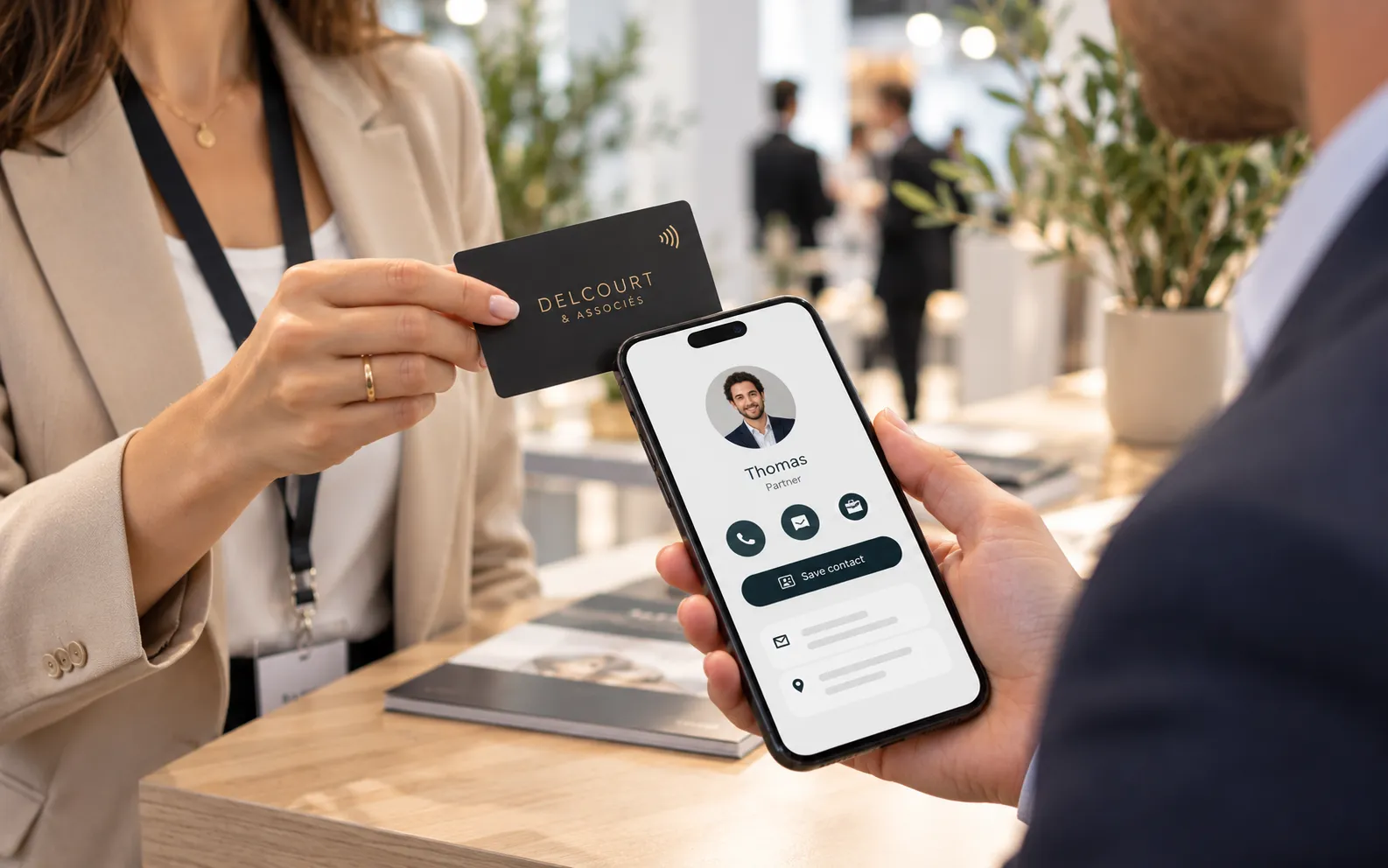
An NFC business card is a card with a contactless chip and a QR code that open a team member's online profile: the person they meet holds a phone near the card and saves the contact with a tap. For a team, the point is that every profile is edited online, with no reprint, and that the company manages everyone from a single dashboard. Here is how to roll them out, step by step.
1. The 30-second answer
- One card, one profile. The NFC chip and the QR code open the team member's online profile; the contact card is saved with a tap.
- Details that stay current. New job title, new number: the profile is edited online and the card stays the same.
- Leavers without waste. The profile is removed and the card can be passed on to someone else.
- A complement, not a replacement. NFC cards and classic printed business cards work side by side.
This is the principle behind Team Cards, our NFC business card for teams, available from 5 people, with or without printed cards.
2. How does an NFC business card work?
The card does not store your contact details: it stores an address, the one of the team member's online profile.
In a client meeting or at a trade show, the person you meet holds their phone near the card: the profile opens, and they save the full contact card (vCard) to their address book. Nothing to copy out.
iPhones from the iPhone 7 (iOS 14) and Android phones with NFC read the chip without an app. The QR code opens with the camera on every phone. For the chips themselves, see our guide to NFC cards for business.
The exchange works both ways
From the profile, the person you meet can leave their own details. These reach the team member by e-mail and appear in the company dashboard.
3. What should a team member's profile show?
A good profile fits on one phone screen: who the person is, how to reach them, and a button to keep the contact.
- Identity. Photo, name and job title, in the company colours.
- Ways to get in touch. Call, WhatsApp, e-mail: each one a tap away.
- Professional links. The LinkedIn profile and the company website.
- The contact card. The button that saves every detail to the address book.
One rule applies to the whole team: show work details only. A direct line or a work mobile, never a personal number.
4. How do you handle joiners and leavers?
Everything is managed from the company dashboard: the cards stay the same, it is the profile they open that changes. Three situations come up in the life of any sales team or professional practice.
Someone joins
You create the new team member's profile and it is live straight away. With printed cards, you assign one of your spare cards: order a few extra with the first batch.
A new role or a new number
You edit the profile, or let the person do it themselves. A personal link lets them change their photo, job title, phone, WhatsApp and LinkedIn, without access to the rest of your dashboard.
Someone leaves
You remove the profile. The card then shows the company page and can be assigned to someone else without reprinting anything.
5. How do you keep the brand consistent?
Consistency comes from two things: profiles built the same way, and cards printed in your colours. Agree a few house rules before the first profile is created.
- Photos. Same framing, same background.
- Job titles. One way of writing each role.
- Buttons. The same for everyone, in the same order.
- Cards. PVC cards, 85.6 × 54 mm, printed in your colours and in the name of each team member.
The same logic extends to your other touchpoints. At the reception desk, a Link Cards card or stand opens the page of links for your premises. On brochures and exhibition stands, a dynamic QR code keeps a destination you can change after printing. The full range is on the digital cards page.
6. What about personal data?
A profile publishes personal data of a professional nature: under the GDPR the company is responsible for it, just as it is for a staff directory or a “meet the team” page. A few habits are enough.
For your team members
- Tell each person what will appear on their profile, and why.
- Ask for their agreement before publishing their photo.
- Remove the profile as soon as the person leaves.
For contacts who leave their details
- Use those details to follow up on the conversation: that is what the person expects.
- For any other use, a newsletter for instance, apply the rules you already follow for your customer and prospect lists.
- Add this processing to your records and set a retention period.
These are general pointers. They do not replace the advice of your data protection officer or legal adviser.
7. NFC, PVC or paper business cards: which to choose?
The NFC card wins on updates and tracking; the classic printed card is still useful when the person you meet wants something to take away. The two complement each other.
| Criterion | Team Cards NFC card | Printed PVC card | Paper business card |
|---|---|---|---|
| Updating contact details | Online, the card stays the same | The card is reprinted | The whole box is reprinted |
| Change of team member | Profile removed, card passed on to someone else | A new card to print | A new box to print |
| Exchanging the contact | Phone held near the card, contact card saved with a tap | Details to copy out or photograph | Details to copy out or photograph |
| Tracking | Reads per card and per day, contact details left in return | None | None |
In practice, the team member keeps the NFC card and presents it at every meeting; they hand over a paper card when many have to be given out, at a trade show for example.
A middle route: QR code cards without a chip, in 350 gsm paper or PVC, in the team member's name. You hand them out like a classic card, and their QR code opens a profile that is always current.
8. How do you roll out the cards across a team in 5 steps?
A smooth roll-out is prepared before the order: decide what the profiles show first, print second.
- Set the profile rules. Photo, job titles, details shown, buttons: the same for the whole team. Name the person who will run the dashboard.
- Choose the option. Profiles only, PVC NFC cards, or QR code cards in paper or PVC. Add a few spare cards for future joiners.
- Add the team. One by one or by importing a list: photo, job title, phone, WhatsApp, e-mail, LinkedIn. Each profile is live straight away.
- Approve the proof. You supply your logo or artwork as a PDF, PNG or SVG; we prepare the cards in the name of each team member and send you a proof. Lead time: 6 to 8 working days after proof approval.
- Hand out the cards and show the gesture. A few minutes in a team meeting is enough. Send everyone their personal link so they can complete their profile.
Options and prices are set out on the Team Cards NFC business card page.
9. Frequently asked questions
Which phones can read an NFC business card?
iPhones from the iPhone 7 (iOS 14) and Android phones with NFC read the chip without an app. The QR code printed on the card opens with the camera, on every phone.
What happens to the card when a team member leaves the company?
You remove their profile from your dashboard. The card then shows the company page, and you can assign it to someone else without reprinting anything.
Can each team member edit their own profile?
Yes, if you wish. You send them a personal link that lets them change their photo, job title, phone, WhatsApp and LinkedIn, without access to the rest of your dashboard.
Do NFC business cards replace paper business cards?
Not necessarily: the two complement each other. The NFC card passes on details that are always current; the paper card remains handy when many have to be handed out.
How many people do you need to equip a team?
From five people, with printed cards as well as for profiles only. For a large team or several companies, describe your project in a quote request.
Are Lumacards digital cards sold on subscription?
No: no subscription, no commitment. You pay once for the duration you choose, no bank card is stored and nothing renews on its own. At the end, you extend only if you wish.
Plan NFC business cards for your team
Tell us the number of team members, the number of companies or branches and the information to display: we will come back to you with a suitable proposal.
No subscription, no commitment: you pay once for the duration you choose, and nothing renews on its own.