
Practical guide · 6 min read
Dynamic QR code or static QR code: which one should you print?
A static QR code holds its destination directly: once it is printed, the destination cannot be changed. A dynamic QR code holds a short address that redirects wherever you choose: the destination can be edited after printing, and every scan is counted. Here is how to choose, print a code that scans and measure the results.
1. In brief
- Static: the destination is written into the code. A new address means a reprint.
- Dynamic: the code points to a short address. You change the destination without touching the printed item.
- Measurement: only a dynamic QR code counts scans, by day, by country and by type of device.
- Printing: either way, it all comes down to size, quiet zone, contrast and a real-life test.
2. What is the difference between a static and a dynamic QR code?
A QR code is a pattern of small squares that encodes a piece of text, usually a web address. The whole difference lies in what is written into it.
Static QR code: the destination is in the pattern
The final address is written into the code, and the phone opens it directly. The code is fixed: if the page moves or the campaign ends, it leads to an error or to out-of-date information. The only fix is a reprint. And the longer the address, the denser the pattern, so the harder it is to read at a small size.
Dynamic QR code: the destination is set remotely
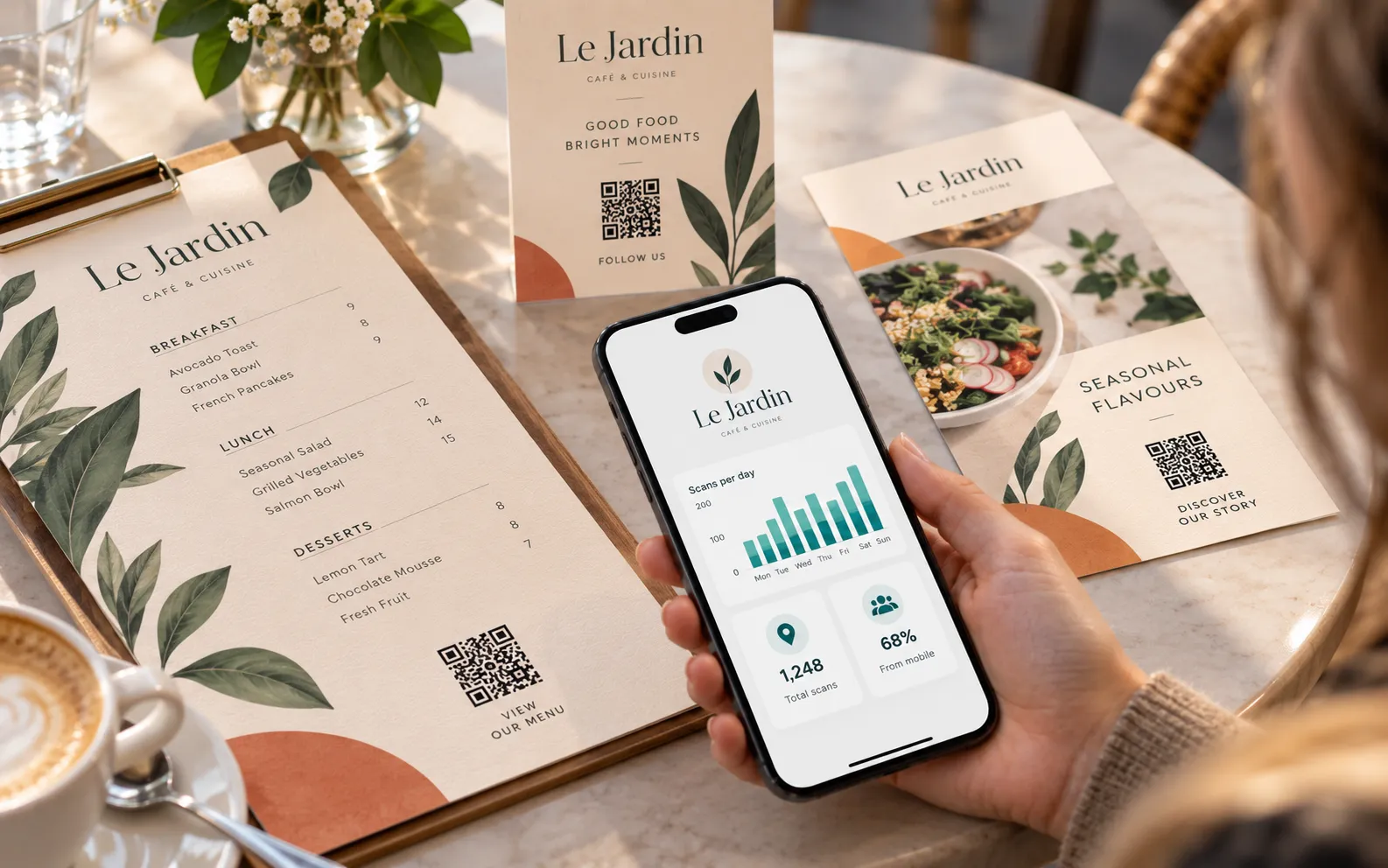
The code holds a short address that never changes and redirects to the destination you choose: page, video, PDF, menu, form or booking. You edit that destination online; the printed pattern stays as it is. Because every scan passes through the short address, it can be counted.
That is how Dynamic QR, our dynamic QR code, works: the same code changes destination at any time from your dashboard. For the person scanning, nothing is different: they point their phone camera at the code, with no app to install.
3. Static vs dynamic QR code: side by side
The criterion people most often forget is the one that matters most: what happens on the day the address changes?
| Criterion | Static QR code | Dynamic QR code |
|---|---|---|
| What the code contains | The final address, fixed | A short address that redirects |
| Editable destination | No: you have to reprint | Yes, at any time |
| Scan statistics | None | Scans per day, country and type of device |
| Typical use | Permanent information, short-lived item | Menu, poster, packaging, card, shop window, seasonal campaign |
| Risk if the address changes | Dead code, item to be reprinted | None: the destination is corrected |
| How long it works | As long as the page exists | For the active period you choose, which can be extended |
A static code needs nothing to keep working, but forgives no change. A dynamic code relies on an active service and, in return, protects everything you have printed.
4. When is a static QR code enough?
A static QR code is enough when three conditions are met: the destination will never change, the printed item has a short life, and you do not need to count scans.
- A dated event: an invitation that links to a page created for the occasion.
- Information that is not a web address: Wi-Fi access or a fixed piece of text.
- An address that has been stable for years, with no reason to move.
If a change of address would force you to reprint everything, static is a gamble.
5. When do you need a dynamic QR code?
You need a dynamic QR code as soon as the printed item outlives the information it carries, or you want to compare one item with another.
- Restaurant, café and pub menus. The menu changes with the season; the QR code on the tables stays the same.
- Posters and shop windows. The same poster promotes this month’s offer, then the next one.
- Packaging and labels. Instructions, a video, a product page: you update the content without scrapping printed stock.
- Cards handed to customers. A card is kept for years; its address has to follow a change of website. See also our guide to NFC cards for business.
- Seasonal campaigns. Christmas, the January sales, back to school: one campaign follows another on the same item, and you test two pages to keep the better one.
Two neighbouring cases call for a different tool. To open several links at once (Google reviews, social media, buttons), look at Link Cards, an NFC and QR code card or table stand. For a loyalty or membership card kept in the phone and read at the till, that is what Wallet Cards are for. Together they make up our range of digital cards.
6. How do you print a QR code that scans? Five checks
A QR code that will not scan cannot be rescued after printing. Run these five checks on a proof at actual size, not on screen.
- Size. The widely used rule of thumb: a side of about one tenth of the scanning distance. At least 2 cm on a menu or flyer held in the hand; around 20 cm on a poster read from two metres.
- Quiet zone. A phone locates the code thanks to the empty margin around it: the standard specifies four small squares in width, with no text and no frame.
- Contrast. A dark code on a light, plain background, ideally black on white. Avoid inverted colours, photographic backgrounds and reflections.
- Logo. A QR code tolerates a small part of its pattern being covered; an oversized logo goes beyond that tolerance. Keep it small and centred, clear of the three corner squares.
- Test. Print the code at actual size and scan it with several phones, iPhone and Android, at the real distance. Check that the page opens properly on a mobile too. Codes on cards follow the same logic as barcodes: see our guide to barcode cards for business.
A dynamic QR code starts with an advantage: its short address gives a low-density pattern that reads more easily at a small size. With Dynamic QR, each code can be downloaded as a PNG for the web and as an SVG for print, and a wrong destination is corrected without reprinting.
7. What can you measure with a dynamic QR code?
A dynamic QR code measures scans, not people. With Dynamic QR, you see for each code the number of scans per day, per country and per type of device, counted without IP addresses.
The most useful approach: one code per item. One for the poster, one for the flyer, one for the shop window, and you know which one gets scanned. You can also follow a campaign over time: the peak at launch, then the effect of a reminder.
What the QR code does not tell you: who scanned, or what that person did next. The rest (booking, order) shows up in your website statistics. A static code counts nothing.
8. Frequently asked questions
Can a static QR code be turned into a dynamic QR code?
No. The destination of a static QR code is written into its pattern. You have to create a dynamic QR code and reprint the item one last time; after that, only the destination changes.
Can a dynamic QR code stop working?
Yes, if the redirect service is no longer active. Choose a period that matches the life of your printed item: Dynamic QR stays active for 1, 2 or 3 years, depending on the period chosen when you order, and can be extended afterwards.
What is the minimum size for a printed QR code?
The widely used rule of thumb is a side of about one tenth of the scanning distance, and at least 2 cm for an item held in the hand. Keep the quiet zone and test at actual size.
Can you put a logo in the middle of a QR code?
Yes, if it stays small. An oversized logo makes the code unreadable on some phones: leave the three corner squares untouched and test with several devices.
Do you need an app to scan a dynamic QR code?
No. Recent phones read it with the camera: iPhones from iOS 11 and most Android phones, directly or with Google Lens.
Are Lumacards digital cards sold on subscription?
No: no subscription, no commitment. You pay once for the duration you choose, no bank card is stored and nothing renews on its own. At the end, you extend only if you wish.
QR codes that keep up with your changes
Packs, periods and prices are on the product page. For a campaign or a large number of QR codes, tell us about your project.
No subscription, no commitment: you pay once for the duration you choose, and nothing renews on its own.